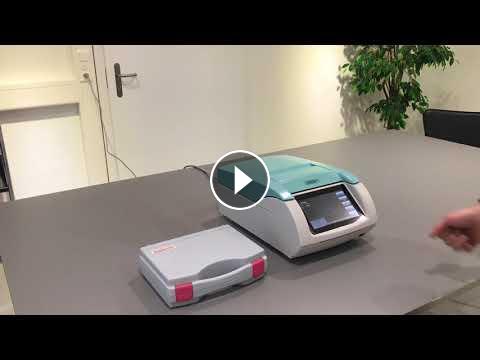
This video is about changing a measurement sensor on a LabMaster-aw neo.
Before you can proceed, please make sure you have the necessary materials & tools available. To perform this task, you will need the following items:
• Allen key which was included in the kit and can be found in the SAL-T standard case
• Measurement sensor as a spare.
Please consider that there are different versions available:
- awSens-ENS sensor for standard applications
or
- awSens-ELS sensor for samples containing alcohol and/or strong aroma
1. To start, switch of the instrument and let it shut-down completely.
2. Open the salt standard case and take-out the Allen key.
3. Open the instrument by lifting the bar.
4. Use the Allen key to loosen the 3 screws which fix the measurement head to the upper part of the LabMaster-aw neo.
5. Once completed, remove the measurement head by pulling on the black gasket as shown in the movie.
The sensor is located at the back of the measurement head.
6. Place the measurement head on a table in so that you can access the two screws which fix the sensor in place. Use the Allen key to dismount the screws.
7. Then pull-out the sensor by holding the small bar which is located on the sensor itself.
8. Now take the spare sensor, open the plastic container and take out the sensor cell.
9. Place the sensor on the measurement head, there is only one way that it will fit.
10. Press the sensor down gently and secure it with the two screws by using the Allen key.
11. Mount the sensor head back to the upper part of the LabMaster-aw neo. Please pay attention to pins and connector. There is only one way you can mount it in.
12. Take the 3 screws to secure the measurement head. Use the Allen key to tighten the screws, however, make sure you do not apply too much force.
Once everything is back in place, close the instrument and switch it on.
- Categoría
- Novasina
Próximos
-
02:11

Columns - RP2 guard filter change
-
01:34
A2000 Service Procedure 07 - Level Sensor (Analog) Cleaning and Testing
-
28:30
Labmaster-aw neo review
-
02:34
Metrohm - world class instruments and sensors for pH measurement
-
02:04
Metrohm Stability Measurement
-
02:29
How to change the ETS green relay
-
01:22
conductivity measurement cells
-
01:46
The new MASTERPIECE of Novasina AG - LabMaster-aw neo
-
04:23
How To: connect your LabMaster-aw neo to LIMS
-
00:20
easyTemp sensor for ETHOS UP and ETHOS EASY digestion systems
-
Demo Metrohm OMNIS (Apsa Lab)
-
MISA (Subtitulado en Español)
-
02:32
Spectro Demonstrates the Power of Arcos and the Benefits of the 27 MHz Generator
-
02:32
SPECTRO demonstriert die Stärke des ARCOS
-
Biochrom 30
-
01:28
Asys Atlantis Microplate Washer
-
04:01
Biowave II
-
01:19
CO7500 Colorimeter
-
02:55
Expert Plus
-
01:40
Libra S22